By Bryan Wall
Product Test Journalist | Kaipūrongo Whakamātautau Hautaonga
If you can think it, then Kmart is likely to sell it.
I’ve been thinking about getting some kind of home organisation hub recently, so wasn’t surprised to find Kmart sells an e-calendar that might fit the bill.
I asked myself: At $189, is Kmart’s 10.1-inch E-Calendar from my favourite deals depot worth considering? Or is the $250 TRMNL ePaper dashboard a better alternative?
Which e-calendar should you buy?
The Kmart E-Calendar is the easier device to use, providing better specs and a better-value choice.
For a budget device, it’s surprisingly polished, easy to use and well-made.
The app is clear and doesn’t suffer from any translation issues that sometimes come with imported products. Even the supplied instruction manual is well written and informative! This E-Calendar lacks customisation, but for many buyers that simplicity will be a plus.
But if you just want a passive display for calendar reminders and other at-a-glance information, TRMNL is an interesting alternative with a broader scope — though it’s pricier and fiddlier to set up.
What is Kmart’s E-Calendar?
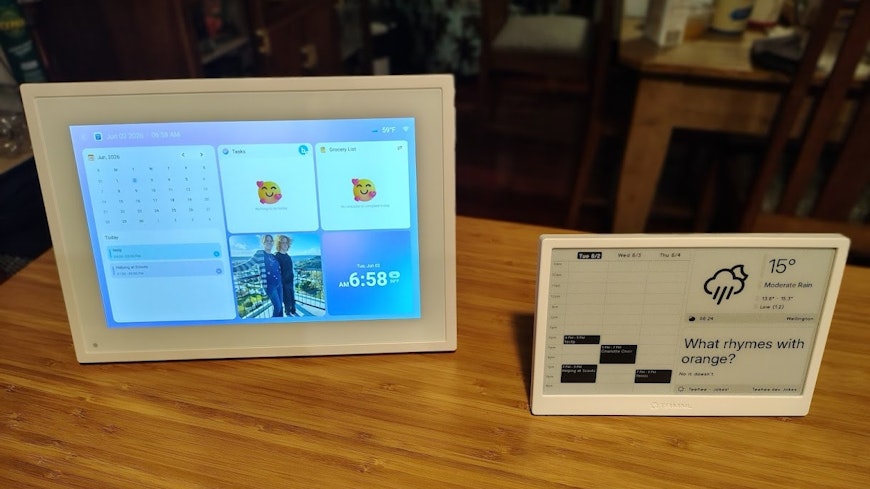
Kmart’s E-Calendar is a mains-powered touch-screen device, resembling a tablet bunged into a cheap photo frame.
What can the Kmart E-Calendar do?
Display your calendar – synced with Google, Outlook, iCloud or Yahoo calendars.
Display photos and videos – like a digital photo frame.
Create shopping lists.
Create task lists.
Help plan your weekly meals.
Create rewards when your kids complete tasks.
Operate through a smartphone app.
What’s the Kmart E-Calendar like to use?
It’s surprisingly good! For a budget device, its build quality is excellent. The screen is bright and clear and the interface responsive. Setup is also easy using the smartphone app.
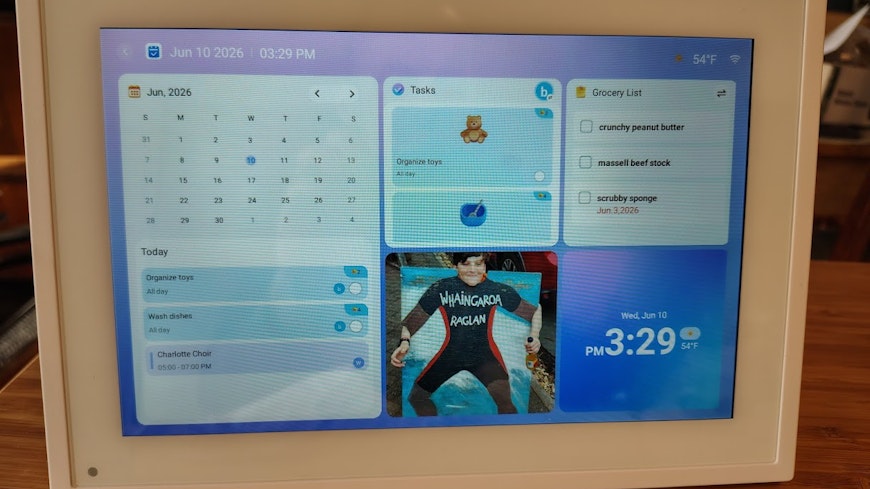
The home screen uses tiles to display the calendar, tasks, grocery list, photos and the time. Tapping on the title of these options opens it in full-screen view. The screen can then be left to just display that option if you prefer.
Calendar
The calendar will automatically sync with your online calendar and any events you add on the Kmart E-Calendar will also sync back. The calendar can also be viewed on its smartphone app. The home screen shows a monthly calendar view, but with only today’s events listed; while the full calendar view can show either a week or month ahead with all appointments displayed.
Photos
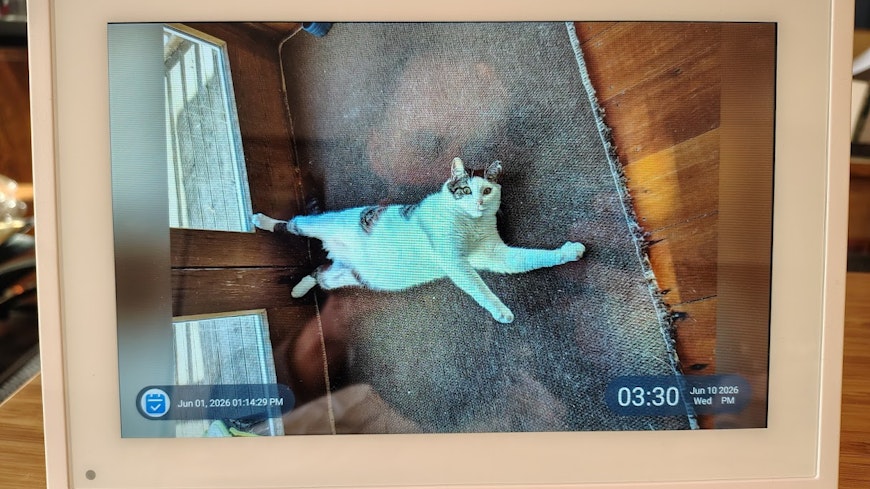
The Kmart E-Calendar is excellent as a digital photo frame. Photos must be uploaded manually, but that’s standard among dedicated digital photo frames that use the Frameo app. There’s 32GB of onboard storage for pictures.
Tasks and rewards
Tasks can be added to the E-Calendar for each day. You can pick from an extensive preloaded list, which includes such gems as “Clean the room”, “Brush teeth”, “Eat vegetables”, and “Clean poop” – or you can create your own.
Tasks can be assigned to family members (multiple user profiles can be setup) and can be prioritised and repeated. Users earn stars for completing tasks, with stars linked to the rewards system. It’s basically a digital version of a star chart. It’s also possible to create penalties for your partner’s bad behaviour.
Lists
The E-Calendar allows you to create multiple check-box style lists, such as grocery lists, to-do lists and customised lists (such as, a holiday packing list). All the lists are synced to the phone app, so you can add to and edit them while you’re away from home.
Meals
The weekly meal planner is neat. There are slots for breakfast, lunch and snacks for each day. There’s a limited selection of predefined foods to put in those slots, but you can add your own recipes, along with ingredients, instructions and photos, if required. Plans can be repeated over any customised time period.

3 things to avoid buying at Kmart – and 7 that are great
Anyone who has walked into Kmart for one thing and walked out with a bunch of extras knows there are a lot of bargains to be found. But not everything with Kmart’s Anko brand on it is gold.
What is TRMNL?
Big-box retailers like JB Hi-Fi and Noel Leeming sell similar e-calendar products to the Kmart offering, with larger screens and larger prices to match.
But we also looked at an alternative option for those who don’t want another device to interact with but could benefit from having a family organisation hub in their home – TRMNL.
TRMNL is a small 7.5-inch battery-powered ePaper “ambient display”. Instead of interacting with the display directly, you configure it through a web interface to show selected information.
What can TRMNL do?
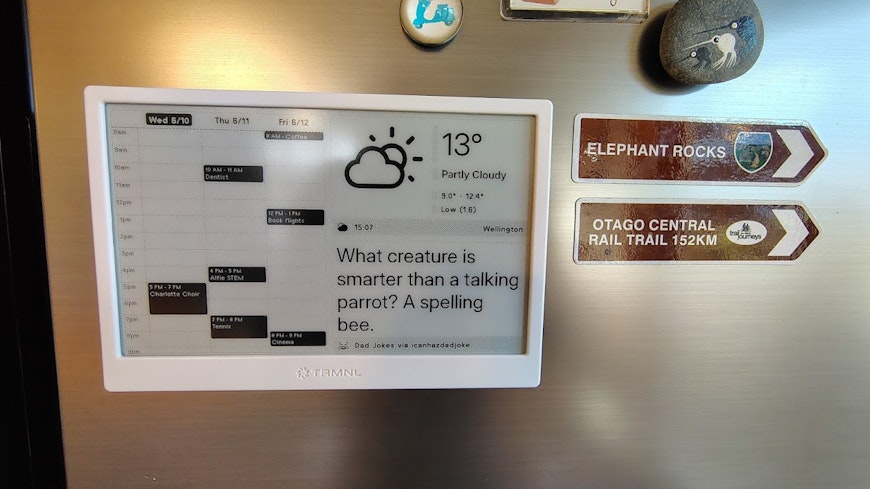
TRMNL can display a wide range of information via plug-ins, including calendars, weather, stock performance, sport results, and train times.
What can’t TRMNL do?
For a start, it can’t display colours, only four shades of grey. So, it’s not great as a digital photo frame (although there are plug-ins to display grayscale photos). It doesn’t have any real interface, with no touchscreen and only a single button on the rear used to refresh the screen.
Who is TRMNL for?
The website states TRMNL is “to help people stay focused and calm in an increasingly distracting world”. It’s aimed at people who want to glance at information without having another interactive screen in the home.
What is TRMNL like to use?
The always-on ePaper display is housed in a cheap-feeling plastic case. It’s a display type commonly found in e-readers such as the Amazon Kindle, and features very low power consumption, enabling a lengthy battery life of up to 6 months per charge.
The TRMNL has a folding metal stand at the rear for desk display or you can hang it on a wall. Or with a bit of tinkering, you can add magnets to attach it to your fridge.
Setting up and using TRMNL
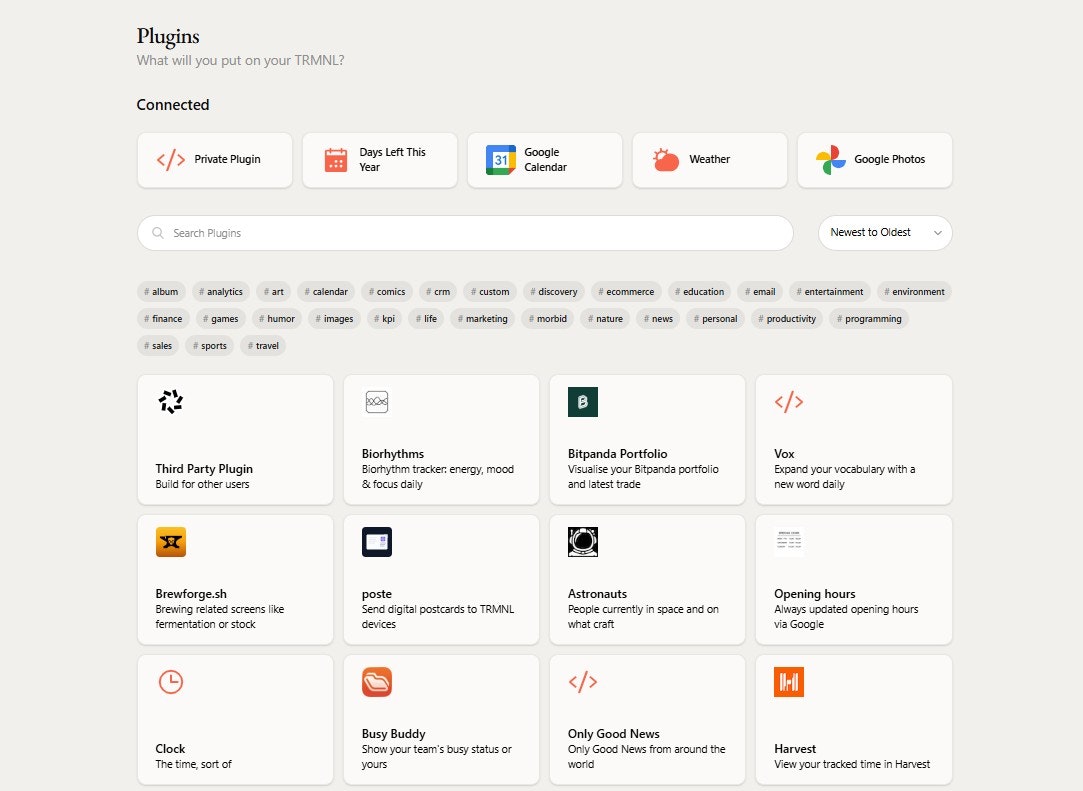
TRMNL has very much a “developers” feel to it, so setup isn’t particularly intuitive. There’s no dedicated app – you use a webpage to connect to the device using the code shown on its screen.
There are then hundreds of plug-ins you can choose from, displaying a huge variety of data and information. Once chosen, this information will then appear on the device’s screen and you probably won’t touch the device again.
TRMNL cycles through your chosen information screens at set intervals (15 minutes by default). So, you could have separate screens for your calendar, the weather and the sports results, for example. But you can also have tiled screens that display multiple pieces of information together, albeit with less detail than the full-screen versions.
That means you can simultaneously display your family calendar, the weather and, most importantly, the dad joke of the day!
8 of the worst products we've tested
Our testing uncovered these 8 dud products being sold in New Zealand. Even if they’re on special, we reckon you’re better off avoiding them.