By Erin Bennett
Test Data Lead | Hautū Raraunga Whakamātautau
Want to control your appliances remotely without paying a fortune for a smart appliance and be able to monitor their power usage? Look no further – smart plugs could be the answer.
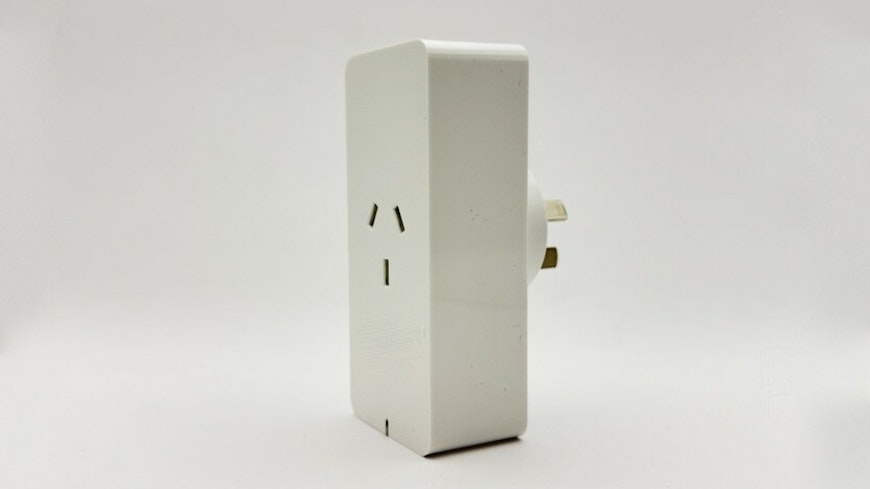
What are smart plugs?
Smart plugs are the modern version of an old-fashioned timer, but they come with many more features and cost analysis tools. They allow you to remotely control and monitor the energy use of anything that’s plugged into them via your phone. For example, when you’re out late, you can turn on your home’s lights remotely; so you don’t have to come home to a dark house.
Not all smart plugs are the same. Some give you basic control while others come with more ‘smart’ features, such as:
power monitoring
voice control, using assistants like Amazon’s Alexa
randomised control of devices like lamps while you’re on away on holiday, to deter thieves.
Simply plug your appliance to the smart plug and then plug the smart plug into the wall socket and switch it on. The power goes through the smart plug, enabling you to monitor and control power to the appliance. You can do this remotely by connecting the smart plug with your home WiFi and accessing this via the smart plug app on your phone.
Smart plugs work best with appliances that have a simple on/off button. Most smart plugs also have a physical override button, allowing you to turn the appliance on or off manually as well. Some smart plugs have USB ports as well as a standard power socket.
Advantages of smart plugs
You can schedule a device to turn on and off automatically or using routines with assistants like Alexa (for example, say “I’m leaving”) or linked to your location.
You can programme smart plugs to make the most of low-cost or free power times to help save money. For example, say you run a fan a few hours a day during summer. You can use a smart plug to turn it on only during free power hours. That could save you over $16 a summer!
Smart plugs offer great convenience. You can control your appliances from your phone and don’t have to get up (or be there) to switch things on or off!
They can help with security by allowing you to turn lights and radios on and off while you’re away, just like someone is home. Some models even offer a ‘randomised away mode’ that runs appliances randomly to appear more natural.
Size and price
Smart plugs are slightly bigger than standard appliance plugs. They range in price from $20 to $30 each, or smart power boards cost around $60.
Smart power boards
You can buy single smart plugs or smart power boards, which have a series of smart sockets. Most smart power boards will let you control individual sockets as well as the whole power board. Buying a board can be cheaper in the long run than buying multiple individual smart plugs when your appliances are near each other.
Safety first
There are lots of smart plugs on the market. As with any electrical device, you should check to make sure any smart plug you buy is certified and safe. Look for the Regulatory Compliance Mark (RCM) on the plug or its packaging.
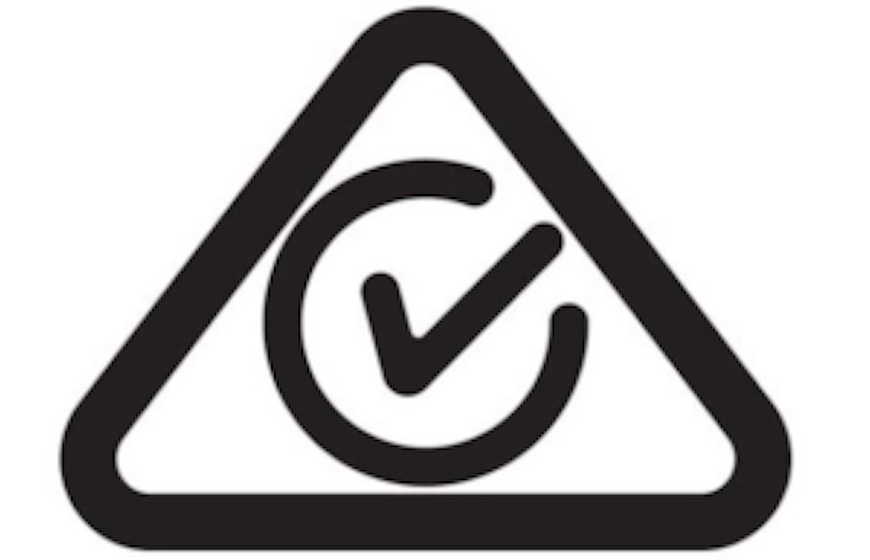
The RCM indicates that the smart plug is compliant with electrical safety and EMC (electromagnetic compatibility) requirements controlled by standard AS/NZS 4417. Basically, this means that the smart plug meets the safety requirements for Aotearoa.
If the smart plug you’re looking to buy doesn’t have this mark, then look for another!
What you can connect to a smart plug
Smart plugs are best used with appliances that have a simple on/off control and can be left on when plugged into the smart plug. Some examples are: lamps, TVs and home entertainment systems, fans, air purifiers and chargers for rechargeable batteries.
I’m personally quite a fan of smart plugs and have several around my home.
Lamps: I have a few lamps attached to smart plugs. They’re programmed to turn on and off when I’m out in the evenings or away on holiday. This gives the illusion that someone is home and (hopefully) deters thieves. I’ve also set a countdown timer on a smart plug. When I trigger a ‘bedtime routine’ on my smart speaker, it automatically turns off all the lights in my room after 10 minutes.
TV and soundbar: I have these connected to a smart power board that is connected to my smart speaker. When I leave the house, I trigger a smart assistant routine that cuts the power to these devices. When I get home, I trigger another routine that turns them on again.
Fan: During the warmer months, I have a fan on a smart plug that is connected to my smart assistant. It detects when I’m home and when the temperature gets above a certain point. Then it will automatically turn on the fan, ensuring I stay nice and cool.
Office espresso machine: The Consumer NZ office espresso machine needs time to warm up in the mornings, which is hard on the first people through the door. So, we’ve put it on a smart plug. The plug turns it on in plenty of time to ensure the first staff in can be well caffeinated from the get-go. We also use the smart plug scheduling to turn it off overnight and during the weekend, so it doesn’t waste electricity.
Office stick vacuum: We also have a stick vacuum in our office to clean up small daily spills. But no one is responsible for charging it, and it can often have a flat battery. We’ve put the stick vacuum dock on a smart plug and have set it to charge overnight. This means the vacuum is ready to use each day.
Appliances that should not be connected to a smart plug
Appliances that draw a lot of power
Some appliances that draw lots of power might not be suitable for use with smart plugs. Most appliances draw less than the average smart plug’s maximum rating. However, some big appliances, such as your washing machine or heating appliances like electric heaters could potentially reach that maximum amount. Check you’re not going to overload a smart plug before using it.
Appliances that require more than one step to turn them on
Smart plugs are best used when an appliance has a single on button, for example, a lamp. If you need to be there in person to turn on the appliance, then a smart plug isn’t a great option. For example, you’ll need to set the cycle on your clothes dryer before starting it. And there are safety features preventing the dryer from starting as soon as there’s power – you need to press ‘start’ and engage the door lock to make the machine go.
Appliances wired into the mains
Appliances wired into your home power, so not using a standard plug, should never be modified for use with smart plugs – leave them wired in.
Setting up a smart plug
The exact set-up of the smart plug is generally the same across brands. It involves putting the smart plug in pair mode then entering your WiFi details into the connected app.
Once connected to the WiFi and app on your phone, many smart plugs can be connected to smart speakers and assistants. The common smart assistants are Google’s Gemini, Amazon’s Alexa, Apple’s Siri and Microsoft’s Cortana.
Some smart assistant features
Connecting your smart plug to a smart assistant gives it a new level of ability. This includes being able to use voice commands to control:
devices and appliances
turn appliances on or off based on your location (geofencing)
environmental factors, such as temperature.
For example, you can set your lamp to automatically turn on when you’re 500m from home.
Controlling and monitoring power use with a smart plug
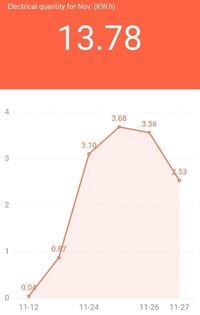
Some smart plugs come with a built-in power monitor, which can help you save even more money. You might be on a power plan that offers lower tariffs at certain hours, or even free hours. That means you can schedule appliances to automatically turn on or start charging during these times.
For example, say you are on a plan for 3 hours of free power. You can set a smart plug connected to your electric scooter charger to turn on during those 3 hours. That makes powering your scooter free!
Or, perhaps your plan has low-tariff or off-peak times where you pay less. Those can be good times to schedule a smart plug to turn on the kids’ games console, as these devices can still use quite a bit of power in standby mode.
Calculating savings and reduce standby power usage
Many appliances still use power when they’re in standby mode and not actively being used. For most appliances, this is a very small amount of power. With a smart plug you can schedule the appliance to only turn on when you would normally use it, like the evening for watching TV. This will reduce standby power use and your costs.
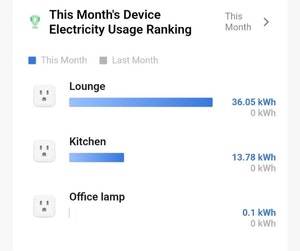
If you’re away from home most of the day, smart plugs can make sure your appliances are off and not adding to your power bill. Turning off your appliances when you’re not using them could save you up to $200 a year, according to the Energy Efficiency and Conservation Authority (EECA).
It’s easy to calculate how much power a smart plug can save you. Most apps will give you a kWh usage amount for your appliance. kWh is a measure of energy consumption over an hour. You can use the kWh to estimate how much power an appliance uses over a period of time. Multiply this amount with your power cost/tariff (you can find this on your power bill) to estimate how much the appliance costs to run.
For example, say you have a TV, sound system, streaming device and game system all running from the same power board. They use a combined 1.7kWh a week while on standby (not actively being used). Over one month, they use 7.3kWh. Let’s assume the power tariff is 30c per kWh.
Cost = 7.3kWh x 30c = $2.20 per month
Using a smart power board to turn off these devices when you’re not using them could save $26 per year just in standby costs. So, how much could you save around the whole house by using smart plugs?
(Energy usage is measured in kWh. For example, a 1kW heater running for 1 hour will use 1kWh of energy. A 100W light bulb running for 10 hours will also use 1kWh.)
Monitor everyday power costs
You can use this same equation to calculate your household’s overall power usage. If you do this, the power bill at the end of the month won’t be a big shock.
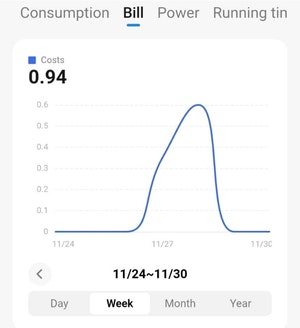
Say the total power use for the example home entertainment centre (active and standby) is 1.1kWh per day. Using the running-cost formula from above, we get a cost of 32c a day. That means that for the month, it’ll cost $9.90 to power that entertainment centre (assuming 4 hours watching TV, 2 hours gaming and 18 hours standby).
If maths isn’t your strong point, have we got news for you. Many apps offer a premium energy saving analysis that can do all the maths for you. Just enter your power tariff and it does the hard work. However, such analysis is generally only available through a subscription.
There’s another benefit to smart plugs. They let you help lower pressure on the power grid during times of heavy use, such as over winter. You can easily turn off non-essential appliances from your phone, or limit the amount of time they run, via a smart plug.
Other advantages
Most smart plug apps let you study an appliance’s power usage over time. They can help you save money by monitoring and highlighting appliances that are using more power than you might expect.
Smart plugs show you when power is spiking but no one is (or should be) using an appliance.
Security and privacy
Once you’ve connected some home appliances to the internet, everything is sorted, and you can just click and forget, right?
Accessing your home appliance activity sends your private data to the internet. If you are concerned about the safety of the data you’re sharing with the app companies, there are a few things you can do.
Make sure your home WiFi is secure. You can read more about the best security for your data on our routers buying guide.
If you haven’t changed the default password on your WiFi, change it now.
Use two-factor authentication (2FA) where it’s available on smart device accounts and apps.
Keep apps updated. This prevents any access issues from occurring.
Brought to you in partnership with EECA.

How to use less power
Looking for easy ways to lower your energy bill without sacrificing comfort? Our energy-saving guide is full of simple, practical tips you can do at home today.